Model: Western Digital 320GB My Passport Elite Portable Hard Drive
Manufacturer: Western Digital
Provided By: Western Digital
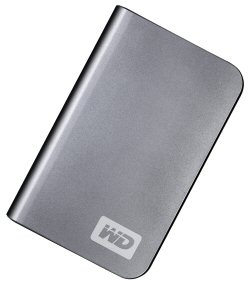

Western Digital has been a leader in the storage industry for nearly 20 years. Beginning with its "Centaur" series of hard drives, the company has lead the way, growing to become one of the world's largest manufacturers of storage products. Western Digital currently manufactures a wide range of products for both consumer and enterprise applications. Along with internal drives for the mobile and desktop markets, it offers a number of external solutions, including the My Passport family of portable hard drives.
Earlier this year, Western Digital introduced the My Passport Elite. Building upon the success of the My Passport Essential, this top of the line drive offers a number of unique features. The Elite features a soft-touch finish as well as a capacity gauge that shows how much space is available. The drive also comes with backup, synchronization and remote access software and is covered by a 5-year warranty.
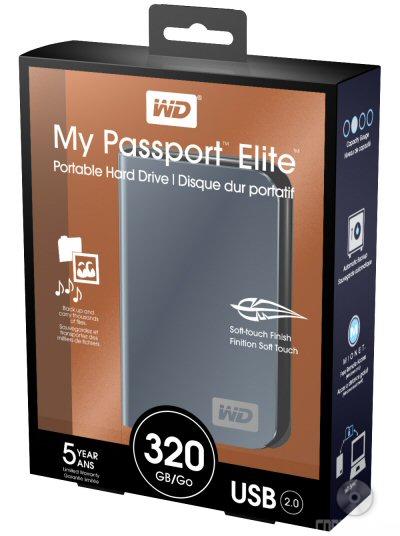
The My Passport Elite comes packaged as shown above. This packaging is a big improvement over the plastic bubbles that earlier My Passport drives came in. The top is simply taped shut so the contents can be removed from the packaging without the need for a sharp knife or razor.
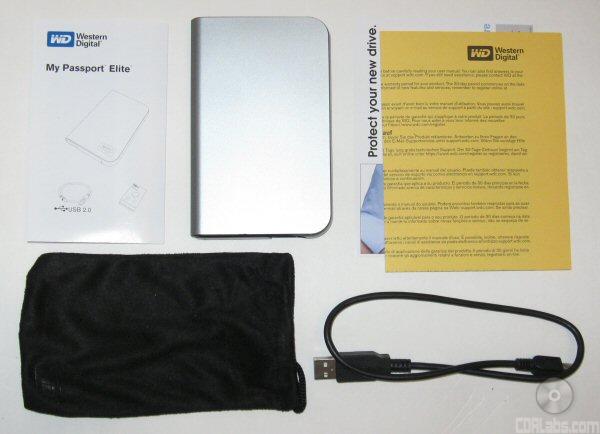
Once opened, you have access to the package contents. Along with the drive, you have a USB cable, manual, carrying case and warranty information. The bundled software comes on the drive itself.
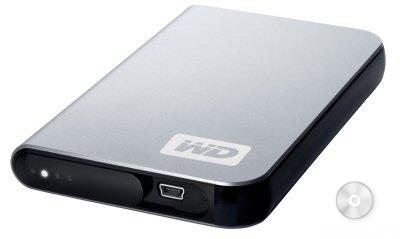
The My Passport Elite shares the same basic design as its sibling, the Essential. Measuring 4.967" x 3.130" x 0.590" (126.15mm x 79.5mm x 15mm) and weighing in at only 0.40 lbs (0.18 kg), the Elite is compact enough to fit into a purse, laptop bag or even a pocket.
 |
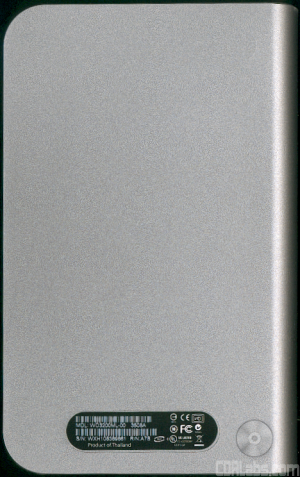 |
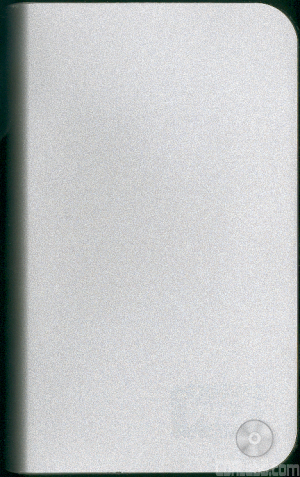
The Elite is constructed of a durable, but lightweight plastic. The outer shell of the drive is available in four different colors (Titanium, Bronze, Westminster Blue and Cherry Red) and is covered with a soft-touch material which makes it easy to grip. The soft-touch material does not cover the entire drive though, as three of the sides have a glossy finish.
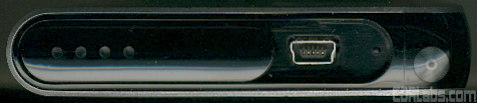
The USB connector and LED indicators are located along one end of the Elite. By looking at the four LED's, you can determine the state of the drive. They will light up or flash, depending on what the drive is doing at the time. The Elite is also unique in that the LED's can be used as a capacity gauge. When connected to a computer with the necessary drivers and software, the four sections will light up, indicating how much space is in use. The LED panel can also be slid over to the right to protect the USB connector when the drive is not in use.
To test the performance of the Western Digital My Passport Elite I ran a series of benchmarks using HD Tach RW 3.0.4.0, SiSoftware Sandra Professional Business XII.SP2c and ATTO Disk Benchmark 2.02. To get a feel for the "real world" performance, I also copied and pasted 30GB of random files and directories in Windows Explorer. For comparison, I've also included test results from an older 250GB Passport drive.
HD Tach RW 3.0.4.0:

Using HD Tach, we can benchmark a drive's read, write and burst speeds as well as its seek times and CPU usage. Looking at the screenshot above, you can see that while the Elite was a little slower when writing, its read and burst speeds were faster than the older 250GB drive.
SiSoftware Sandra - File System and Physical Disk Benchmarks:
While I am not a big fan of SiSoftware Sandra's optical drive benchmarks, it is a great tool if you want to test a system's performance quickly and easily. One of Sandra's more useful tests is the File System benchmark. This benchmark gives each drive an overall score, or "Drive Index," based on the results of its read and write tests.
| WD My Passport Elite 320GB |
WD Passport 250GB |
|
| Drive Index: | 28.08 MB/s | 29.62 MB/s |
| Buffered Read: | 31.68 MB/s | 34.13 MB/s |
| Sequential Read: | 31.87 MB/s | 34.47 MB/s |
| Random Read: | 24.72 MB/s | 25.14 MB/s |
| Buffered Write: | 25.38 MB/s | 25.86 MB/s |
| Sequential Write: | 26.21 MB/s | 27.03 MB/s |
| Random Write: | 21.61 MB/s | 22.33 MB/s |
| Random Access: | 9ms | 11ms |
Unfortunately, the Elite didn't do quite as well in this test. While its access time was better, it was slower than the older 250GB drive when both reading and writing.
Designed with hard disks in mind, the Physical Disk benchmark tests a drive's read and write speeds along with its random and full stroke access times. As with the File System benchmark, this one gives each drive an overall score, or "Drive Index," based on the results of the tests.
| WD My Passport Elite 320GB |
WD Passport 250GB |
|
| Read Index: | 29.41 MB/s | 32.04 MB/s |
| Write Index: | 22.95 MB/s | 25.22 MB/s |
| Random Access: | 13ms | 17ms |
| Full Stroke Access: | 14ms | 18ms |
The results here were similar to what we saw with Sandra's File System benchmark. While the Elite's access times were better, it was again slower than the older Passport when reading and writing.
ATTO Disk Benchmark 2.02:
Like HD Tach and Sandra, the ATTO Disk Benchmark is used to test a drive's read and write speeds. The big difference here is that the tests are run using files ranging in size from 0.5kb to 1024kb. For greater accuracy, the total length has been set to 32MB.
WD My Passport Elite 320GB

WD Passport 250GB

Looking at the two screenshots, you can see that the Elite was the faster of the two drives when reading. Unfortunately, when it came to writing, it wasn't able to keep with the older Passport drive.
"Real World" Benchmark:
To test the "real world" performance of Western Digital's new portable hard drive, I copied and pasted 30GB worth of randomly generated files and directories. All of the files are between 27 KB and 32MB in size and no more than four directories deep.
| WD My Passport Elite 320GB |
WD Passport 250GB |
|
| Write: | 27:06 | 27:59 |
| Read: | 26:48 | 25:58 |
The Elite yielded some surprising results in this test. While the synthetic benchmarks indicated that it was the slower of the two drives when writing, it came out on top, beating the older Passport by 53 seconds. Unfortunately, the Elite didn't do as well as I expected when reading back our test data. On average, it was 50 seconds slower than the other drive.
Those concerned about noise will be happy to know that the Elite was very quiet throughout my tests. It was noticeably quieter than my older Passport drive and there was considerably less vibration. The Elite also remained relatively cool and became only slightly warm to the touch after repeated benchmarks.
One of the big advantages the My Passport Elite has over Western Digital's other portable drives is its software bundle. Along with the WD Sync synchronization and encryption software, it includes applications to automatically backup your files and remotely access your PC.
If you have autorun enabled, the application installer will automatically launch when you connect the drive. Once you agree to WD's license agreement you are presented with the menu pictured below. From here, you can install the bundled software onto your computer and then copy it to another location for safe keeping.
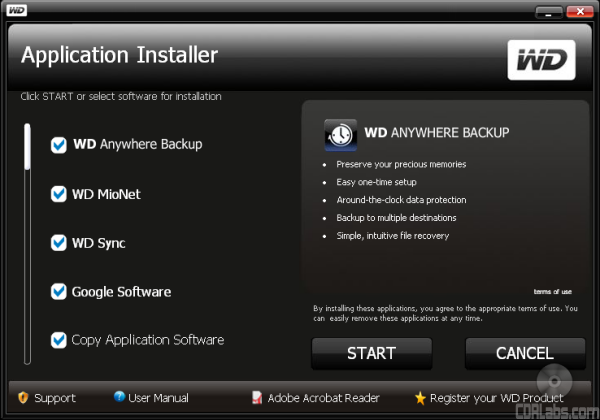
Western Digital has been shipping WD Sync with their portable drives for a number of years. Using this software, you can save your files and computer settings onto a drive like the My Passport Elite. While on the road, you can plug the drive into any Windows-based PC and use WD Sync to access and edit files, read email and view photos. When you get back to your home or office, all of the changes are automatically synchronized with your computer. Best of all, the data stored on the drive is protected by AES 128-bit encryption.

The My Passport Elite also comes with WD Anywhere Backup for both the Mac and PC. Normally included with Western Digital's desktop external hard drives, this software gives you the ability to create your own custom backup plans. WD Anywhere Backup allows you to choose which files and folders you want to back up as well as the location where they will be stored. Whenever you create or save changes to a file, the software will automatically back it up. It also keeps multiple versions of files so you can see how they've changed over time.

The third application included with the My Passport Elite is MioNet. This software gives you the ability to access your files and control your computer from any PC web browser. It also allows you to share your files with other MioNet users and, if your computer has a webcam, will let you remotely monitor your home or office.
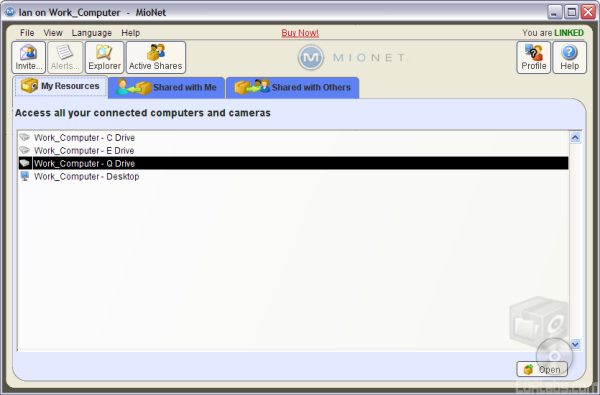
It's not clear whether the version of MioNet included with the Elite is a trial version. While Western Digital says that the software is free for the life of the drive, the email verification I received said that it was only a 30 day trial. Let's hope that it's not a trial, as it is one of the Elite's more unique features. (Update: We checked with Western Digital and the version of MioNet included with the Elite is not a trial.)
The My Passport Elite is a worthy addition to Western Digital's line of portable hard drives. Like the other drives in the Passport family, it is small, lightweight and can be powered off of a computer's USB bus. The Elite also is also capable of some respectable reading and writing speeds and runs both quiet and cool, even after extended use.
What makes the Elite unique, though, are its features. The drive has a soft-touch finish that looks good and makes it easier to hold on to. It also has a built in capacity gauge that lets you know at a glance how much space is available. Western Digital rounds all this out with a five year warranty and a collection of backup, synchronization and remote access software. Mac users may feel a bit left out as most of the software is Windows only. However, in this case, the Mac-formatted My Passport Studio is the probably the better choice.
The My Passport Elite is available now in 250GB and 320GB capacities and in your choice of four different colors. The suggested retail price for the 320GB version is set at $199.99. However, the drive can be picked up for considerably less through some of the vendors on Pricegrabber.